
Get started
Download, then get your API keys
Download Exclusive Auto Trader for Mac or Windows. Unzip, then open it. On Windows you get one icon you can move to the desktop. Step 1 in the app asks for Telegram API keys. Use the guide on this page for that step.
Unzip, then open Exclusive Auto Trader. On Windows you get one icon you can move to the desktop. Apple may warn that it cannot check the app. That message can appear. The app is safe. Right-click it, choose Open. On Windows, SmartScreen may warn. Click More info, then Run anyway. A phone cannot run it.
Before you open it
Install MetaTrader 5
On Mac use the MetaTrader 5 app. On Windows use the Windows MetaTrader 5 installer from the same page. Open it once so Exclusive Auto Trader can find it. You log into your broker after you join VIP.
metatrader5.com/en/downloadJoin VIP
Use this page’s welcome bot and this page’s Invidia link. The same Telegram account you join VIP with is the one you sign into Exclusive Auto Trader. The live copy room is Yang VIP.
Step 1 in the app
Telegram API keys
After you open Exclusive Auto Trader, the first screen asks for App api_id and App api_hash. Get those from my.telegram.org. Not BotFather. Not a bot token. Not your phone.
- Sign in at my.telegram.org with the same Telegram account you use for VIP.
- Open API development tools.
- First time only. App title: Exclusive Auto Trader. Short name: eatapp (one word, 5+ letters, no spaces). Leave the rest blank.
- Click Create application. Copy App api_id (short number) and App api_hash (long hex).
- Paste both into Exclusive Auto Trader. Do not mix them.
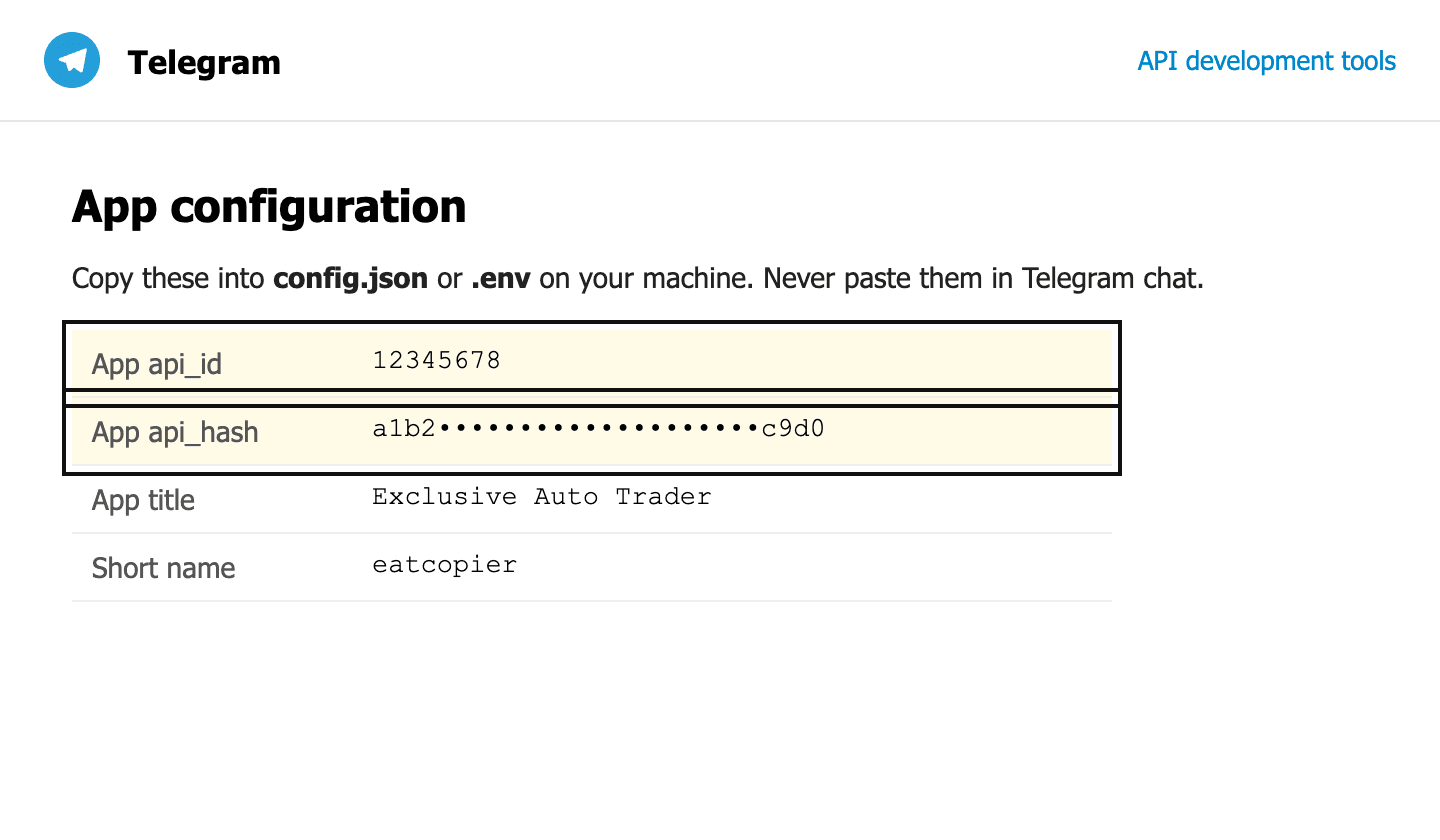
Already have an app? Use the two values on that page.
Get API keys